




TL;DR Summary: Publishing Power BI reports enables sharing insights through the cloud, facilitating collaboration across devices. Various licenses allow different publishing capabilities.
- Reports can be published directly from Power BI Desktop.
- Viewing is available on desktop, tablet, and phone after publishing.
In this short tutorial, we’ll explain how—and why—to publish Microsoft Power BI Reports.
(Haven’t created a report yet? Learn how to create reports and pie charts.)
Publishing in Power BI
To publish a Power BI report means to push it to the cloud so you share it with other users at powerbi.com.
Publishing in this software does not mean publishing it to a web page. But you can do that by loading the report into an iFrame, an item in a web page, onto a web page.
What you can do is controlled by your license:
- Power BI is free to publish in your own workspace in Office 365 apps, like Dynamo CRM.
- Power BI Pro, for $9.99 per month, lets you share reports with other Power BI Pro users.
- Power BI Premium, for $4,995 per month, lets you share reports with anyone, including people with no Power BI license.
Why you need to publish Power BI reports
You use Power BI Desktop to create reports. That is done by a single person on a single computer. In order to share it with other people, and thus make it useful to someone else, you need to push it to the Power BI cloud.
Another reason (or, a kind of a limitation) is that you need to publish the report to see what it will look like to the end user, such as on:
- Desktop
- Tablet
- Phone
How to publish Power BI report
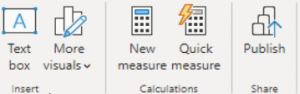
You simply push the Publish button—it’s as easy as that. Microsoft will prompt you to log in.
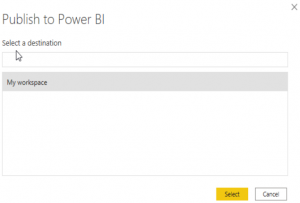
If you are using the free edition you can only publish it to the My WorkSpace workspace.
Here’s what a sample report looks like:
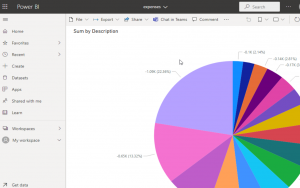
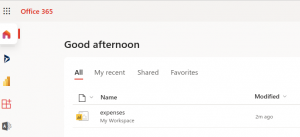
The reports you publish show up in your Office 365 Apps desktop:
That concludes this tutorial.
Related reading
- BMC Machine Learning & Big Data Blog
- Data Visualization Guide, a series of tutorials on various products
- Tableau Online Guide
- Data Storage Explained: Data Lake vs Warehouse vs Database
Power BI Guide
These postings are my own and do not necessarily represent BMC's position, strategies, or opinion.